Ask an HR team what eats their week and the answer is rarely strategy. It is typing the same person's details into a fifth system.
A new starter needs to exist in the HR platform, the payroll system, the identity directory, the email tenant and whatever tools their team actually uses. Done by hand, that is five chances to spell a surname differently.
This article covers what to connect and in what order, the joiner-mover-leaver pattern that HR integrations are really about, and the one part people postpone that they should do first.
What is HR system integration?
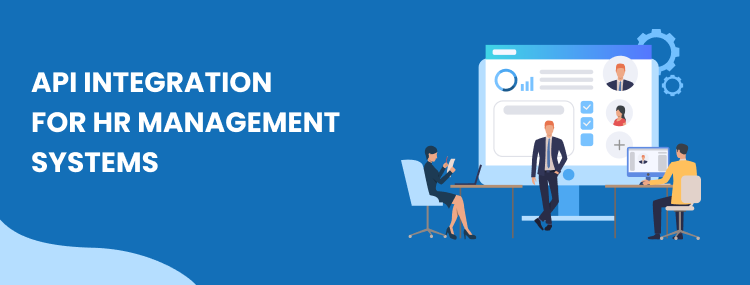
HR system integration is a set of connections between your HR platform and the systems that need to know about people: payroll, identity, email, and the tools each team uses. When something changes in one, the others follow without anyone retyping it.
In practice it covers:
- New starters created once and appearing everywhere, with the right access for their role.
- Changes such as a promotion, a new manager or a salary change reaching payroll without a separate email.
- Leavers losing access everywhere on their last day, which is the security half of this job.
- Absence and time flowing to payroll so nobody reconciles a spreadsheet at month end.
- Reporting built on one set of numbers rather than three exports that disagree.
What to connect, in order
Not all of these repay the effort equally. This is roughly the order we would build them for a business connecting HR properly for the first time.
| Connection | What it removes | Why this order |
|---|---|---|
| HR platform to identity and email | Manually creating and deleting accounts | Highest risk if it goes wrong, so it earns the most by being reliable. |
| HR platform to payroll | Retyping starters, leavers and salary changes | The biggest time saving, and the one where errors cost real money. |
| Absence and time to payroll | A spreadsheet reconciled every month | Straightforward once the first payroll link exists. |
| HR platform to team tools | Chasing IT for access on someone's first morning | Visible to every new starter, which makes it worth doing early for a different reason. |
| Everything to reporting | Three exports that disagree | Only worth building once the sources above are trustworthy. |
Joiners, movers and leavers
Every HR integration is a version of the same three events, and naming them that way makes the design obvious rather than clever.
A joiner needs creating in several systems with the right permissions. A mover changes department, manager or salary, and the interesting part is what should be taken away as well as added. A leaver needs everything removed.
Most projects build joiners first because that is the one people feel. It is the right place to start, as long as leavers are not left until later, which is what usually happens.
Why leavers matter most
Manual offboarding is the most common security hole in a small business, and it is invisible because nothing appears to go wrong.
Somebody leaves, HR is told, payroll is told, and three or four systems nobody remembered keep their account live. Not because anyone was careless, but because the list of systems lives in one person's head.
An integration that revokes access from the HR record outward closes that gap on the day, every time, without depending on anyone remembering. If you build one thing from this article, build that one.
Where AI helps
The useful AI job here is reading unstructured things: a CV, a signed contract, an expense receipt, a policy question sent to the HR inbox at eleven at night.
Answering the routine questions is the one with the clearest return, because HR inboxes are dominated by the same dozen queries about holiday entitlement, sick pay and expenses. AI automation handles those well and hands the rest to a person.
What it should not do is make decisions about people. Anything touching hiring, performance or dismissal needs a human answerable for it, and dressing that judgement in software makes it harder to challenge rather than fairer. What AI automation actually is sets out where the line sits.
What goes wrong
HR integrations fail in ways that are specific to HR, so they are worth naming rather than discovering.
- Payroll cutoff dates. Payroll runs on a calendar. A change that syncs the day after cutoff lands in the following month, which looks like a bug and is really a timing design problem.
- Too much data. The temptation is to sync every field because you can. Employee data is personal data, so move only what the receiving system needs. Our privacy policy takes the same approach to visitor data.
- Half-created people. A joiner workflow that fails halfway leaves somebody existing in two systems and not the rest. Design for the retry, and make the failure loud.
- Name changes. People change names, and a sync keyed on a name rather than a stable identifier will quietly create a second person.
- Silent failure. The worst case is a leaver workflow that stopped working a month ago and told nobody, which is the argument for monitored automations.
What it costs
Where a ready-made connector exists between your HR platform and your payroll provider, use it. That is the cheapest answer and we will say so rather than build something you did not need.
A custom build earns its cost when the systems have no connector between them, when the logic is specific to how you run things, or when a silent failure would cost you more than the build. How a custom API integration is actually built covers what that involves.
We quote per project after a free call. The advisory side of the question, whether you need a build at all, is covered in API integration consulting, and the same field-ownership discipline applies as in email marketing integration: decide which system is the authority for each field before anything is built.
Common questions
Which HR systems can be connected?
BambooHR, Workday, Personio, HiBob, Deel, Gusto and Sage all expose APIs, and most mid-market HR platforms now do. On the payroll side the picture is more mixed, and some providers still expect a file rather than an API, which is worth checking before you design anything.
Is employee data safe to move between systems?
It is personal data and some of it is sensitive, so it needs treating accordingly: move only the fields the receiving system genuinely needs, restrict who can see them, and log what moved. The safest integration is usually the one that syncs the least.
Can this handle payroll?
It can feed payroll, and that is where most of the time saving is. We would not let an automation approve or submit a payroll run, for the same reason we do not automate anything that moves money: the upside is a saved click and the downside is unbounded.
What if our HR system has no API?
Some older systems only offer a scheduled export. That still automates, it just runs on a file drop rather than in real time, which is fine for most HR processes because they are daily rather than instant.
How long does an HR integration take?
A single joiner workflow is usually live within days. A full joiner, mover and leaver chain across HR, payroll, identity and the tools people actually log into takes longer, and most of that time is agreeing who owns each field rather than writing code.
More cost and timeline answers sit on the answers page, and workflow automation explains how we build and monitor connections like these.