Nobody runs an event because they enjoy exporting registration lists. They run it to get people in a room, and everything between selling the ticket and shaking the hand is admin.
Zapier is a good fit for that admin because events are a chain of predictable moments: somebody registers, somebody needs reminding, somebody turns up or does not, and somebody should hear from you afterwards.
This article covers what to connect, why the reminder sequence matters more than the registration form, and the two failures that ruin event automation on the day.
What can Zapier automate here?
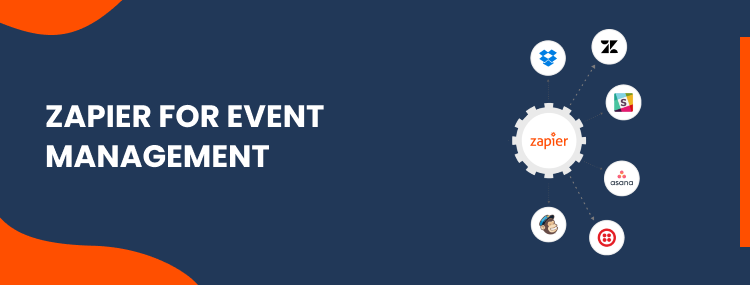
Zapier connects your ticketing or registration tool to the systems that need to know about each attendee: the CRM, the calendar, the email platform, the team chat. Each moment in the chain triggers the next step without anyone watching for it.
In practice that covers:
- Registration creating the contact, tagging them with the event, and sending the confirmation with the joining details.
- Calendar holds going out immediately, because an event that is not in someone's diary is an event they will miss.
- Reminders on a schedule, which is where attendance is actually won or lost.
- Attendance flowing back from the webinar or check-in tool, so you know who came.
- Follow-up that differs for people who attended and people who did not.
What to connect, in order
Zapier lists over 9,000 connected apps as of August 2026, which is not a useful number when you are deciding what to build. These five are, roughly in the order we would build them.
| Step | Typical connection | Why it earns its place |
|---|---|---|
| Registration to CRM | Eventbrite or Luma to GoHighLevel or HubSpot | The attendee exists as a contact from the first second, so every later step has something to hang on. |
| Confirmation and calendar hold | CRM to email, with an ICS attachment | A diary entry is worth more than a confirmation email nobody reopens. |
| Reminder sequence | Scheduler to email or SMS | The highest-value automation on this list. See the next section. |
| Attendance back to the CRM | Zoom or check-in tool to CRM | Turns a guest list into a segment you can actually sell to afterwards. |
| Post-event follow-up | CRM to email, branched | Attended and did-not-attend are two different conversations. |
If you have not built a Zap before, our step-by-step Zapier walkthrough covers triggers, actions and testing before you point one at a live registration list.
No-shows are a reminder problem
Most people who register for a free event and do not attend did not change their mind. They forgot, or the calendar hold never made it into their diary in the first place.
That makes the reminder chain the highest-return thing on the whole list, and it is a chain rather than a single message. A note the day before catches people planning their week, and one an hour before catches the people who are simply busy.
The detail worth getting right is that the last reminder should carry the joining link itself, not a link to a page that has the link. Every extra click at that moment costs you attendance.
The follow-up nobody sends
Almost every organiser sends one email after an event, to everyone, saying thank you. That is a wasted opportunity, because the two groups on that list want completely different things.
People who attended want the recording, the slides and the next step. People who registered and missed it want the recording and a gentle reason to engage again, and they are often the warmer group precisely because they were interested enough to sign up.
Branching that one email into two is a ten-minute change in a workflow, and it is the difference between an event that generated a list and an event that generated enquiries. Feeding both branches back into the CRM is what makes the next event easier to fill.
Where AI helps
Two jobs here are genuinely better with a model than with a rule. The first is answering the questions that arrive in the days before, which are overwhelmingly the same six questions about parking, timing, dress code and whether it will be recorded.
The second is summarising what happened. Turning a transcript into a recap, a set of follow-up actions and a list of who asked what is real work that used to eat an afternoon, and AI automation now does the first draft of it well.
What AI should not do is decide who to invite or write the reminder that carries the joining link. Those are short, high-stakes messages where a rule is safer, and what AI automation actually is covers that line in more detail.
What breaks on the day
Two failures account for most event automation going wrong, and both show up at the worst possible moment.
- Timezones. This is the one. Store every time in UTC, render it in the attendee's own zone, and put the zone in the message text as well. An event listed as 2pm to a person four zones away is a no-show you created yourself.
- Duplicate registrations. The same person signs up twice with two email addresses, and gets two of every reminder. Deduplicate on email before the sequence starts, not after somebody complains.
- Capacity. If the event has a limit, the automation needs to know when it is reached, or you will keep confirming people into a room that is full.
- Silent failure at the burst. A workflow that stops during the registration rush is the worst possible time for it to stop, which is the argument for monitored automations rather than fire-and-forget ones.
What it costs, and the burst problem
Events are unusual among the things people automate, because the load is bursty. A launch announcement can bring two hundred registrations in an hour, and each one may fire several tasks.
That matters because Zapier bills per task. A workflow that costs almost nothing across a quiet month can consume a large share of the monthly allowance on a single busy afternoon, which is a nasty surprise if you sized the plan on an average.
If that is your pattern, Zapier, Make and n8n compared works through where per-task pricing stops making sense. Our own workflow automation work is quoted per project after a free call, and the same honesty applies as with invoicing automation: if a connector does the job, we will say so. More cost and timeline questions sit on the answers page.
Common questions
Which event platforms does this work with?
Eventbrite, Cvent, Eventzilla, Luma, Zoom, Google Meet and Calendly all have solid Zapier connectors, and most ticketing tools expose a webhook even when no connector exists. If you run events through GoHighLevel, much of this is already built in and there is less to connect.
Do we need this for a one-off event?
Probably not. The setup pays for itself when you run events repeatedly, because the same workflow serves every one after the first. For a single conference, a spreadsheet and a person is usually cheaper and easier to change.
Will it stop people no-showing?
It reduces it, and a reminder sequence is the single most effective thing you can automate. Nothing fixes people who registered on impulse and never intended to come, so judge it by the change in attendance rate rather than by hoping for perfect turnout.
What about GDPR for attendee data?
Registration data is personal data, so the same rules apply as anywhere else: collect what you need, say what you will do with it, and honour unsubscribes. Automation makes this easier rather than harder, because consent flows between systems instead of being retyped.
How long does it take to set up?
A registration-to-reminder-to-follow-up chain is usually live within days. Most of that time is deciding the timings and writing the messages, not building the automation, which is the part people consistently underestimate.