Can AI turn a design into a working website?
Partly, and the part it does well is the part that used to be billed by the hour. Current tools will read a Figma frame and return markup and styles that match the picture closely, in minutes rather than days.
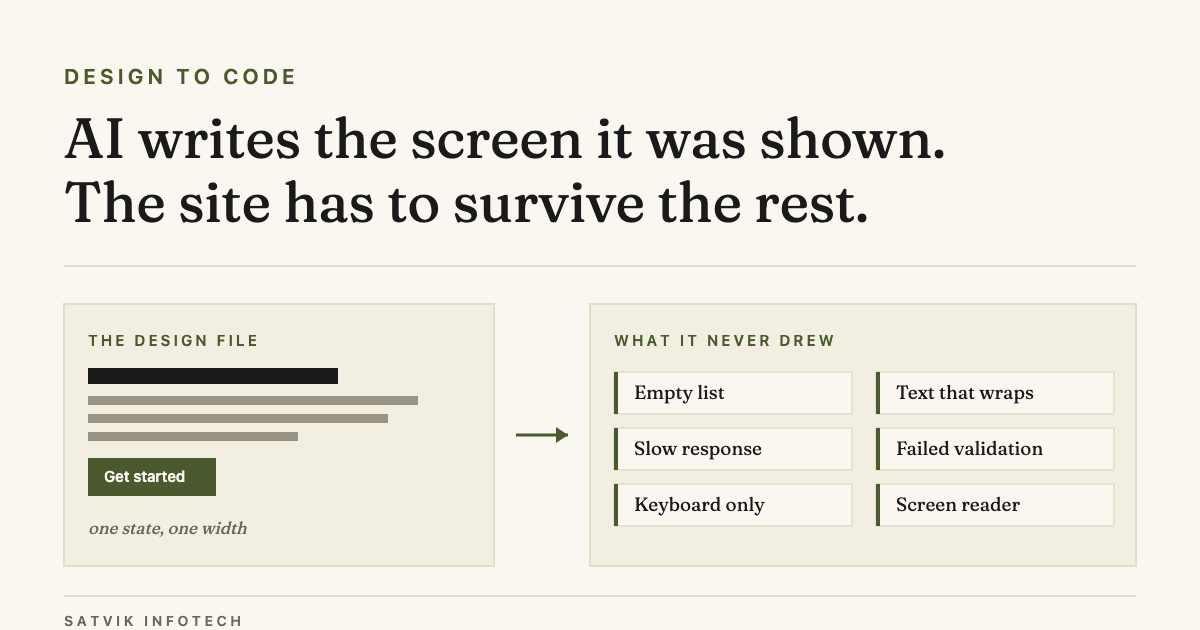
What they cannot supply is the information the design file never held. A frame is one state of one screen at one width, and most of the work in a real front end is the states nobody drew.
- The layout is the easy part now. Reproducing a static frame is close to solved, and it is no longer where the risk sits.
- A design file has no behaviour. It does not say what the page shows while data loads, or when the data never arrives.
- It has no content range. Every label in the file is exactly the length the designer typed.
- It has no semantics. A box that looks like a button is not a button, and generated code often leaves it a box.
- It has no destination. A form that submits nowhere looks identical to a form that works.
What changed since PSD to HTML
This page began life as a tutorial for cutting a Photoshop file into markup by hand. That job existed because the design lived in a format no browser could read, so somebody had to translate it section by section, naming every region as they went.
Two things retired it. Design moved into browser-native tools where spacing, colour and type are already values rather than flattened pixels, and code generation moved to models that can read those values directly.
So the translation step got cheap. The judgement step did not, and it is the same judgement a careful front-end developer was always applying quietly while they sliced.
What a design file contains, and what it leaves out
It is worth being concrete about the gap, because it is not a matter of the tool being immature. The information is genuinely not in the file, so no amount of model improvement will recover it.
| The state | In the design file | Who ends up deciding it |
|---|---|---|
| Default view | Drawn, usually at one width | The designer |
| Text longer than the box | Rarely | Whoever builds it |
| Empty list or no results | Sometimes | Nobody, until a customer finds it |
| Loading and slow responses | Rarely | The developer |
| Validation and error messages | Sometimes, for forms | The developer |
| Keyboard focus order | No | The DOM order, by accident |
| Screen reader labels | No | The markup, by accident |
| Where the form submits | No | Your CRM setup, or nothing |
Why the generated version looks finished
Generated front end demos exceptionally well, and for a simple reason: a demo shows the same thing the design showed. The default state, on a wide screen, with the content that was sitting in the file.
The failures arrive later and quietly. A customer with a long company name breaks the header, a slow response leaves the page blank with no explanation, an empty results list renders as an unexplained gap.
None of those throw an error. They produce a page that works perfectly for the person who built it and badly for the person using it, which is the hardest class of problem to notice from the inside.
Three routes from a design to a live front end
There is no single right answer here, and the honest version is that the routes suit different work. We use all three on AI app development projects, usually more than one inside the same build.
| Route | What it suits | The catch |
|---|---|---|
| AI generation from the design | Marketing pages, prototypes, and a fast first pass to review | The output is a starting point. Treating it as finished is where the cost lands |
| Building on a component library | Products with repeated interface and a long life ahead of them | The design has to bend to the library, or you fight it on every screen |
| Hand-building the front end | Unusual interaction, strict accessibility requirements, heavy brand work | Slowest, and hard to justify for pages that are mostly text and a form |
The choice is less about the design than about how long the thing has to live. A campaign page and a product people log into every day deserve different answers, which is also why how long an AI app takes to build depends so heavily on which one you are describing.
What to check before you accept a generated front end
This is the review that separates a usable first pass from a liability. None of it needs a developer to perform, which is the point of writing it down.
- Resize it continuously. Not at three tidy breakpoints. Drag the window slowly and watch for the widths where things collide.
- Put real content in it. The longest customer name you have, the shortest, and one record with a missing image.
- Unplug the data. Every screen that fetches something needs a loading state and a failure state, and neither was in the design.
- Tab through it. If you cannot reach a control with the keyboard, a large group of your customers cannot either.
- Check what the buttons really are. A styled box does nothing on Enter and is invisible to assistive technology.
- Submit the form and follow it. A front end is not finished until the enquiry lands somewhere a person will see it.
The part AI reproduces faithfully, and shouldn’t
A generation tool matches the design it was given. If the design puts pale grey text on cream, the generated page renders pale grey text on cream, accurately and without complaint.
WCAG 2.2 sets a minimum contrast ratio of 4.5:1 for normal text and 3:1 for large text at Level AA, checked at the W3C on 21 September 2026. A design can fail that, and generating from it faithfully reproduces the failure.
So the contrast check belongs to the design review, before anything is built from the file. Running it afterwards means paying for the same screen twice.
Where the front end stops and the business starts
A finished front end is a page that looks right and behaves under pressure. It is not yet a page that earns anything, because the enquiry it collects still has to reach a person who will answer it.
That is the same gap every contact form has, and it is why connecting a site to a CRM matters more to the result than which framework the buttons were built in. The design brings people in, and CRM setup and management decides whether they are still interested by the time anyone replies.
In practice that means the build and the follow-up are one project, not two. Workflow automation routes the submission, AI automation handles the reply and the qualifying questions, and ongoing maintenance is what keeps both working after launch.
If you are still deciding what to build rather than how to build it, custom design against a template is the earlier question, and what AI-first development actually means covers how the model fits into the rest of the work. If the design is heading for a phone rather than a browser, cross-platform against native apps is the next decision after this one. Our buyer questions page answers the commercial ones in the same plain terms.
Design-to-code questions, answered
Can AI turn a Figma file into production code?
It can turn one into a credible first draft quickly, and that draft is genuinely useful. Production means the states the file never contained, so plan for a review pass rather than expecting the output to ship as it stands.
Is PSD to HTML still a thing?
Almost never as a described service. Designs now live in browser-native tools that already hold spacing, colour and type as real values, so the hand-translation step the term named has mostly disappeared along with the file format.
How much of a front end can AI write?
Most of the visual layer and very little of the judgement. Reproducing a layout is close to solved, while deciding what happens on an empty list, a failed request or a keyboard-only visit is still a human decision that nothing in the design expresses.
Does AI-generated code pass accessibility checks?
Not reliably, because it inherits whatever the design did. Contrast failures come straight through, and generated markup often uses styled boxes where a real button or label was needed, which automated tools catch only some of the time.
Do I still need a developer if AI writes the code?
You need fewer hours of typing and the same amount of judgement. Someone has to decide the missing states, connect the form to a system that records the enquiry, and be responsible when the page behaves differently for a real customer than it did in the demo.