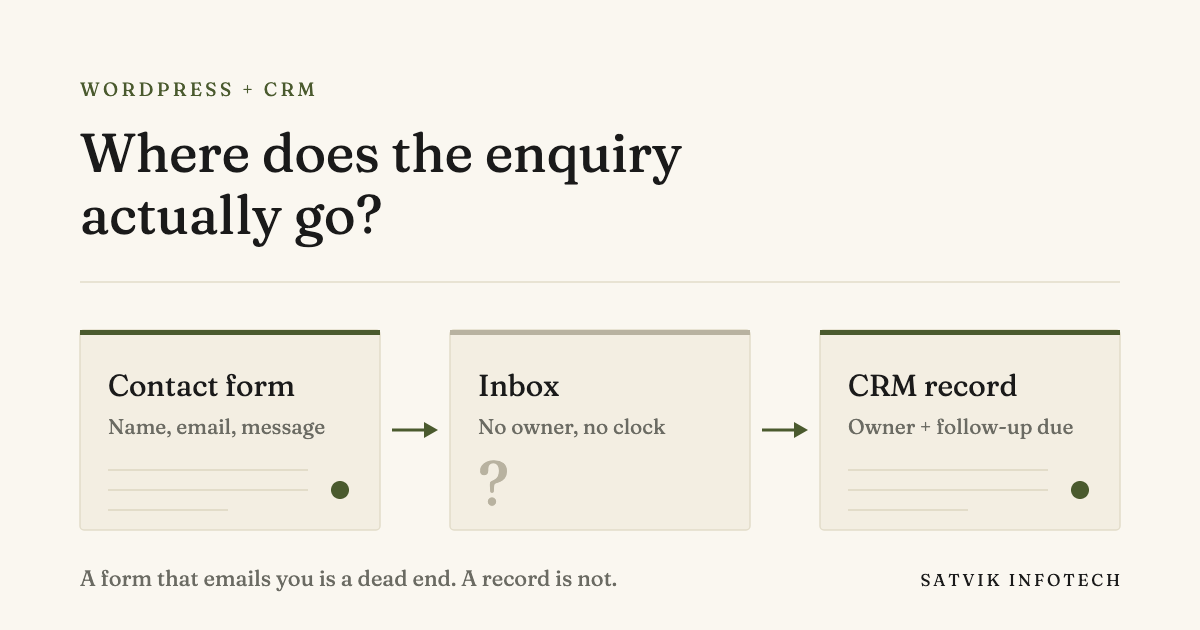
What happens to a WordPress form submission?
By default, almost nothing. A WordPress contact form collects the fields and sends an email, and once that email is sent the site has no further involvement in what happens to the enquiry.
Connecting WordPress to a CRM replaces that dead end with a record. The submission becomes a contact with an owner, a timestamp and a next action, which is what makes follow-up something you can rely on rather than remember.
- WordPress stores the page, not the customer. Core has no contact record, no pipeline and no follow-up.
- An email notification has no owner. Nothing marks an enquiry as claimed, so two people answer it or nobody does.
- Delivery is not guaranteed. Site-sent mail is the least trusted mail there is, and a spam folder is silent.
- Three routes exist: a CRM’s own plugin, an automation platform, or a direct API call.
- The connection is the easy part. Deciding what happens in the first five minutes is the work.
What WordPress actually handles, and what it leaves to you
WordPress is the most widely used content management system there is. As of 21 September 2026 it runs 58.8% of all websites whose CMS is known, and that share is the reason so much advice treats it as though it can do everything.
It cannot, and the gap is not a flaw. WordPress was built to publish pages and manage the people who edit them. A customer who fills in your form is not a WordPress user, and core has nowhere to put them.
| The job | WordPress core | Where it actually lives |
|---|---|---|
| Publishing pages and posts | Yes, this is what it is for | WordPress |
| Collecting a form submission | Only with a form plugin | A plugin, storing entries in your database |
| Storing a customer record | No | A CRM |
| Assigning an owner to an enquiry | No | A CRM |
| Replying within minutes | No | An automated workflow |
| Chasing a lead that went quiet | No | A CRM sequence |
| Telling you an enquiry was missed | No | Monitoring on the workflow |
Read down the right-hand column and the shape of the problem is clear. Everything that decides whether an enquiry turns into a customer happens after WordPress has finished its job.
Why “it goes to my email” is the failure mode
Most WordPress sites we are asked to look at have a form that emails the owner, and the owner believes this is working because emails do arrive. The ones that do not arrive are invisible, which is exactly why the arrangement survives.
There are four separate problems stacked on top of each other, and a better form plugin fixes none of them.
- Deliverability. Mail sent by a web server, from your own domain, to your own inbox is the profile spam filters are most suspicious of.
- No ownership. An email in a shared inbox belongs to everyone, which in practice means no one.
- No record. When the enquiry is answered, nothing anywhere knows it was answered, so nothing can chase it.
- No clock. Nobody can tell you how long yesterday’s enquiries waited, because the data to answer that was never kept.
The clock matters more than the rest. We wrote about why it is worth replying to every enquiry within five minutes, and an email-only setup cannot hold that standard on a busy day even when everyone means to.
Three ways to connect WordPress to a CRM
There is no single correct answer here. The right route depends on how many forms you have, how much logic sits between the form and the CRM, and who will maintain it in a year.
| Route | How it works | Suits | The catch |
|---|---|---|---|
| The CRM’s own plugin | The CRM publishes a WordPress plugin that posts submissions straight into it | One or two simple forms, one CRM, no branching | You get the fields the plugin supports and no more; logic has to live in the CRM |
| An automation platform | The form fires a webhook into Zapier, Make or n8n, which shapes the data and creates the record | Most businesses: several forms, some routing, more than one destination | A moving part to monitor, and a run that fails quietly still looks fine from the site |
| A direct API call | Code on the site calls the CRM API when the form is submitted | High volume, unusual field mapping, or a requirement that nothing leaves your stack | Someone has to own that code, including the day the CRM changes its API |
For most WordPress sites the middle route wins, because the useful work is rarely a straight copy of five fields. If you are weighing the platforms themselves, we compared Zapier, Make and n8n against each other rather than in the abstract.
On the CRM side, GoHighLevel is our default recommendation for a business that wants the pipeline, the follow-up and the calendar in one place, and we set it up that way most often. HubSpot, Keap and ActiveCampaign are all reasonable, and our comparison of GoHighLevel and HubSpot sets out where each one is the better fit. The full picture is on our CRM setup and management page.
Send the context, not just the fields
The most common version of this connection sends a name, an email address and a message, and stops there. It works, and it throws away the part that makes the record useful a week later.
Four extra pieces cost nothing to capture at the moment of submission and are effectively unrecoverable afterwards.
- Which page they were on. An enquiry from a pricing page and one from a blog post are not the same enquiry.
- How they arrived. The referrer or campaign, captured once, saves an argument about what is working.
- Which form it was. Obvious with one form, essential with six.
- The submission timestamp. Not the time the record happened to be created, which can differ by hours when something retries.
None of this is exotic, and all of it has to be decided before the connection is built rather than after. That ordering is the single biggest difference between a setup that still makes sense in a year and one that gets rebuilt.
What breaks, and how you find out
A connection between a website and a CRM does not usually fail loudly. It fails by succeeding on a run that did nothing useful, which is the pattern behind most of the automation mistakes that quietly lose leads.
A plugin update changes a field name and the message arrives empty. A required field in the CRM rejects the record and the workflow reports success. Someone edits the form and the new field maps to nothing.
The defence is not more error alerting, because none of those are errors. It is alerting on absence: no enquiry in six working hours on a site that normally gets three, a contact created with no email address, a lead still unowned an hour later. Keeping that monitoring honest is part of what our ongoing maintenance work covers.
Where AI helps, and where it must not decide
An enquiry arriving as structured data is what makes AI useful here at all. Once the record exists, a model can draft a reply in your voice, summarise a long message into a one-line brief, or suggest which service the enquiry is about.
What it should not do is decide. Letting a model judge which enquiries are worth answering rebuilds the spam folder problem with something less predictable than a spam folder.
The rule we work to is simple: a model may read, classify, summarise and draft, and a rule decides anything final. That line is the same one we apply across our AI automation work, and it is why the automated part of a good setup is boring by design.
Do you need a new site, or just the connection?
Usually just the connection. An existing WordPress site that loads properly and says the right things does not need replacing to start capturing leads correctly, and connecting it is a much smaller piece of work than a rebuild. If a rebuild is genuinely the answer, the next question is how much of the new front end AI can generate from the design.
A rebuild earns its place when the site itself is the obstacle: it is slow enough to lose people before the form, it cannot be edited without a developer, or the forms are scattered across plugins nobody can account for. We have written about what a WordPress website really costs, and the honest version of that answer usually starts by asking which of these two jobs you actually have.
If the answer is a new build, we do that AI-first rather than as a WordPress theme project, which is what our AI web and app development service covers. If the answer is the connection, that is workflow automation and it is usually the shorter path. More of the questions buyers ask us before starting are answered on our answers page.
WordPress and CRM questions, answered
Does WordPress have a CRM built in?
No. WordPress core manages content and the users who edit the site, not customer records. There are CRM plugins that add contact storage inside WordPress, but they put your customer data in the same place as your public website, which is rarely where you want it.
Do I need a plugin to send form entries to a CRM?
Usually yes, though the plugin is only the transport. Most form plugins can fire a webhook or connect to an automation platform, and that is often a better choice than a CRM-specific plugin because it keeps the routing logic in one place you can see.
Is an email notification enough for a contact form?
Only if you never miss one, which nobody manages on a busy week. An email has no owner, no status and no record that survives being read, so nothing can tell you an enquiry went unanswered. A CRM record can.
Which CRM works best with a WordPress site?
GoHighLevel is our default recommendation, because the pipeline, the follow-up and the booking calendar sit in one place. HubSpot, Keap and ActiveCampaign all connect to WordPress perfectly well, and the better question is which one your team will actually keep up to date.
How do I know if a WordPress enquiry was missed?
Alert on absence rather than on errors. A missed enquiry almost never produces an error message, so the useful alerts are the ones that fire when nothing arrived during business hours, when a contact was created without an email address, or when a lead has sat unowned for an hour.