GoHighLevel or HubSpot: which should you choose?
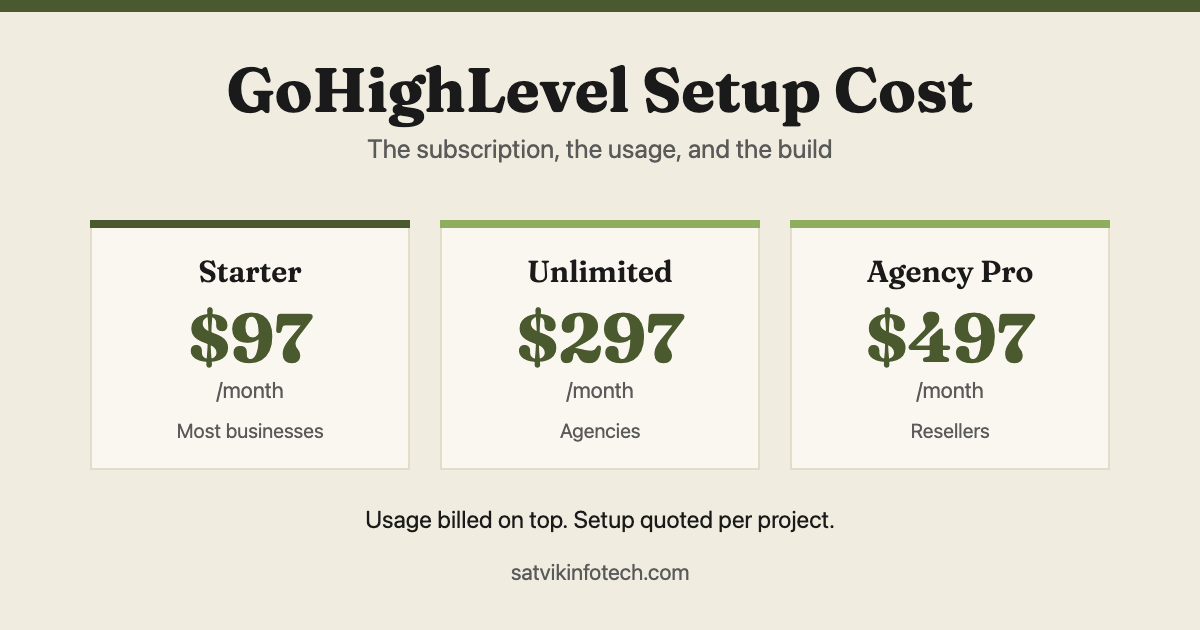
Both will hold your contacts and run a pipeline. They differ in what surrounds that, how they are priced, and who each was designed for, and those three things decide it rather than any feature list. If you have already settled on GoHighLevel, see what a GoHighLevel setup costs instead.
- Choose GoHighLevel if you want pipelines, email, SMS, calendars, forms and funnels in one subscription, and you sell to customers you speak to directly
- Choose HubSpot if you have a larger sales team, need serious reporting, or already depend on its ecosystem and integrations
- The real difference: the two meter different things. HubSpot's bill grows with people and with contacts; GoHighLevel's grows with activity, because users and contacts are unlimited on every plan
- Our bias, stated: we recommend GoHighLevel first for small service businesses, and we say so on the call rather than pretending to be neutral
- The honest answer: if your current CRM is working, the right move is usually to configure it properly rather than to switch
The core difference between them
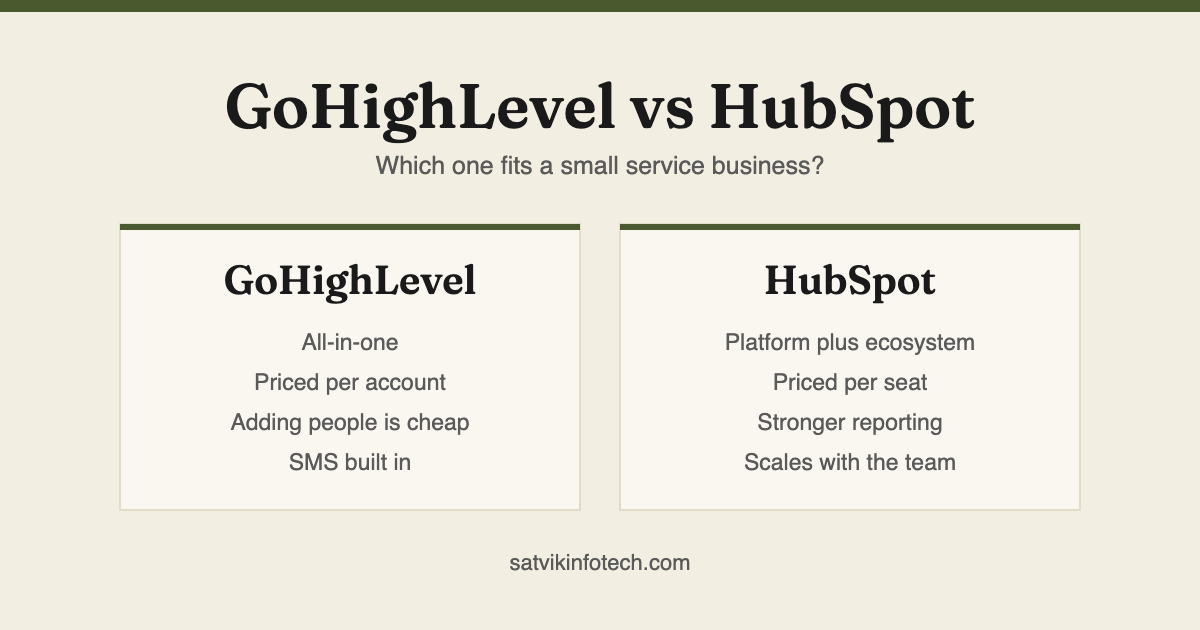
HubSpot is a platform with an ecosystem around it. It does the core well and expects you to extend it with apps from a large marketplace, which is powerful and means the real cost is rarely the subscription alone.
GoHighLevel is an all-in-one. Pipelines, email, SMS, calendars, forms, funnels and reputation tools arrive in the same subscription, which is fewer moving parts and fewer integrations to maintain, at the cost of any individual piece being less deep than a specialist tool.
That is the trade in one sentence: breadth in one place, or depth with assembly required. Everything below follows from it.
Compared on what actually decides it
| GoHighLevel | HubSpot | |
|---|---|---|
| Built for | Agencies and small service businesses | Sales and marketing teams of any size, scaling upward |
| Pricing shape | Per account, with usage metered on top | Per seat, stepping up through tiers |
| Adding people | Unlimited users on every plan, so the whole team can be in it | Paid per Core Seat, though view-only access costs nothing |
| Adding contacts | Unlimited contacts on every plan | Marketing Hub is priced by how many are marketing contacts |
| SMS and calls | Built in, billed by usage | Usually a third-party add-on |
| Reporting | Adequate for a pipeline you can see end to end | Considerably stronger, and a real reason to choose it |
| Ecosystem | Smaller, but less often needed | Large marketplace, most tools integrate natively |
| Learning curve | Steeper interface, gentler once configured | More polished, deeper to master properly |
Notice what is missing: contact management, deals and basic automation. Both do those competently, so they are not where the decision lives.
What each platform actually meters
This is the part most comparisons skip, and it is the part that decides the bill three years from now. The two platforms do not simply charge different amounts for the same thing. They charge for different things entirely.
A business grows along three axes: the number of people who need the system, the number of contacts in the database, and the volume of messages sent. GoHighLevel charges for the third. HubSpot charges for the first two.
| When this grows | GoHighLevel | HubSpot |
|---|---|---|
| People who need access | No effect. Every plan states unlimited users. | Each editing user is a paid Core Seat. A View-Only Seat, which can look but not change anything, is available at no additional cost on every tier. |
| Contacts in the database | No effect. Every plan states unlimited contacts. | Marketing Hub pricing varies with the number and type of contacts. Only contacts marked as marketing contacts count toward it. |
| Messages, calls and AI use | This is where the bill moves. Texts, minutes, emails and AI features are metered on top of the plan. | Email sits inside the tier. SMS is normally a third-party add-on with its own bill. |
| Departments using it | One account covers the tools. The Starter plan caps you at three sub-accounts, which matters only if you run separate client or brand spaces. | Each hub is bought separately, and mixing tiers lifts every Core Seat to the highest tier you own. |
So the question is not which is cheaper. It is which of those three axes your business grows along fastest, because that is the one you will be billed for.
A six-person firm with a 40,000-contact list and light messaging is the expensive case for HubSpot. A two-person firm sending thousands of texts a month is the expensive case for GoHighLevel. Work out which one you are before you read another feature list.
When GoHighLevel wins
It wins on consolidation. A business paying separately for a CRM, an email tool, a scheduling tool and a form builder can usually replace all four, and the saving is as much in maintenance as in money: four subscriptions is four integrations that can break, each one a piece of workflow automation to keep alive.
It wins when the whole team needs access. Per-seat pricing quietly discourages adding the people who should be seeing customer conversations, and a CRM only half the company uses is a CRM nobody trusts.
It wins when texting is part of how you sell. Two-way SMS from the same place as the pipeline, without bolting on another service, is a genuine day-to-day difference for anyone booking appointments.
When HubSpot wins
It wins on reporting. If someone in your business needs to answer questions like which source produces customers rather than leads, and where deals stall by stage, HubSpot does that properly out of the box.
It wins at size. A larger sales team with defined roles, territories and permissions is what it was designed around, and the structure that feels heavy for three people is what keeps thirty organised.
It also wins when you are already invested. If your team knows it, your integrations point at it and your data is clean inside it, moving is a cost with no obvious return. We will say so.
How the pricing models differ
Comparing headline prices is close to meaningless, because the two meter different things and the shape matters more than the number.
GoHighLevel is broadly a per-account subscription with usage on top: text messages, phone minutes, emails and AI features are billed by what you consume. Adding people is inexpensive. Your bill grows with activity rather than headcount.
HubSpot steps up per seat and per tier. The free and starter levels are genuinely usable; the automation, sequences and reporting most businesses eventually want sit higher up. Your bill grows with the team and with the features you unlock.
Two details inside HubSpot's model are worth knowing before you commit, because both are documented rather than hidden and both surprise people anyway. Neither is a reason to avoid it; they are reasons to model your own numbers first.
The first is that you control which contacts you are billed for. A contact can be designated as a marketing contact at any time and the change takes effect immediately, but changing one back to non-marketing takes effect only at the start of the following month or billing period. The bill can rise the moment you decide and can only fall at the next cycle.
The second is the mixed-tier rule. If you hold products at different levels, for example Marketing Hub Professional alongside Sales Hub Enterprise, all of your Core Seats are priced at the highest level you own. One Enterprise hub therefore reprices everybody, which is the single most common reason a HubSpot quote comes back higher than expected.
Both facts come from HubSpot's own product and services catalog, and GoHighLevel's unlimited-users position from its published pricing, both checked on 10 September 2026. Check them yourself rather than trusting a comparison article, ours included, because the numbers move.
So the honest way to compare is to model your own numbers: how many people need access, how large your list is, and how much messaging you actually send. Prices change, but those three shapes have been stable for years. We do that exercise before recommending either, and the same arithmetic sits behind what AI automation costs.
What each one is worst at
Every comparison lists strengths. The weaknesses are more useful, because you can live with a missing feature and you cannot live with a platform that fights the way you work.
GoHighLevel is worst at depth and at polish. Any single module in it, taken alone, is beaten by a specialist tool: its email builder is not the best email builder, and its reporting is adequate rather than good. The interface is also inconsistent between areas, because the platform grew by addition, and that costs a new user real time in the first fortnight.
Its documentation and community are the other honest weakness. Both are written for agencies managing client sub-accounts, so a single business searching for help wades through answers aimed at somebody else. That is survivable with a partner and irritating without one.
HubSpot is worst at cost predictability. The free and starter tiers are genuinely good, and the features most businesses discover they need, real automation, sequences and reporting, sit further up. Growth on two separate axes, people and contacts, means the bill can move without any decision that felt like a purchase.
It is also weakest exactly where a service business lives, which is texting. SMS normally means a third-party add-on, another subscription and another integration to keep alive, and an integration nobody owns is the classic automation mistake that quietly loses leads.
Three comparisons that do not decide it
Most of the time spent choosing a CRM goes on three questions that turn out not to matter. Skipping them is the fastest way to a decision.
Feature counts. Both platforms will show you a longer list than you will ever use, and the features you actually touch daily number about eight. Compare those eight against how you sell, and ignore the rest of the grid.
Marketplace size. HubSpot's app marketplace is far larger, which reads as decisive and rarely is. A larger marketplace matters when you need many integrations, and needing many integrations is itself the thing an all-in-one is meant to avoid.
If your answer is a handful of connections, both will manage. Where neither has a native option the work becomes a custom API integration either way.
Review scores. Aggregate ratings for these two platforms are measuring different populations, since HubSpot is reviewed by sales teams and GoHighLevel largely by agencies. A score built from people who do not run your kind of business tells you very little about yours.
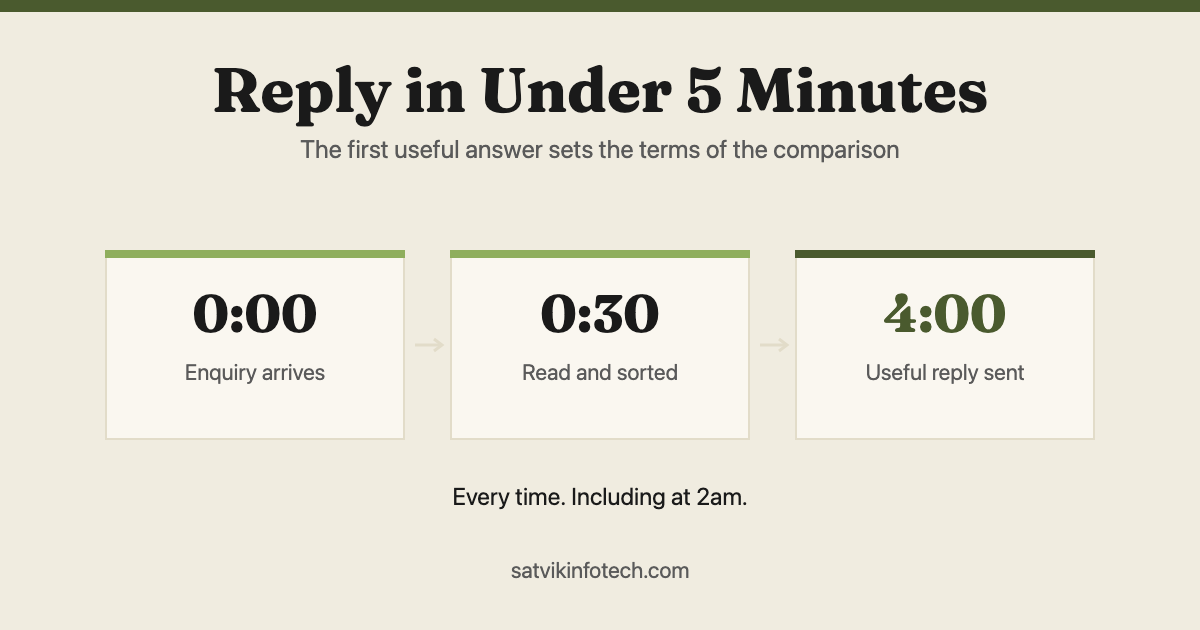
What does decide it, reliably, is the metering question above and one more: what happens to a new enquiry in the first five minutes. Neither platform does that on its own out of the box, which is why we treat the CRM choice and the follow-up build as one job, in the order set out in the tasks a small business should automate first.
What switching actually involves
Contacts, companies and deals export and import without much drama. That part is a day of work and it is what people worry about. Where the data lives in something older or stranger, it becomes a custom integration.
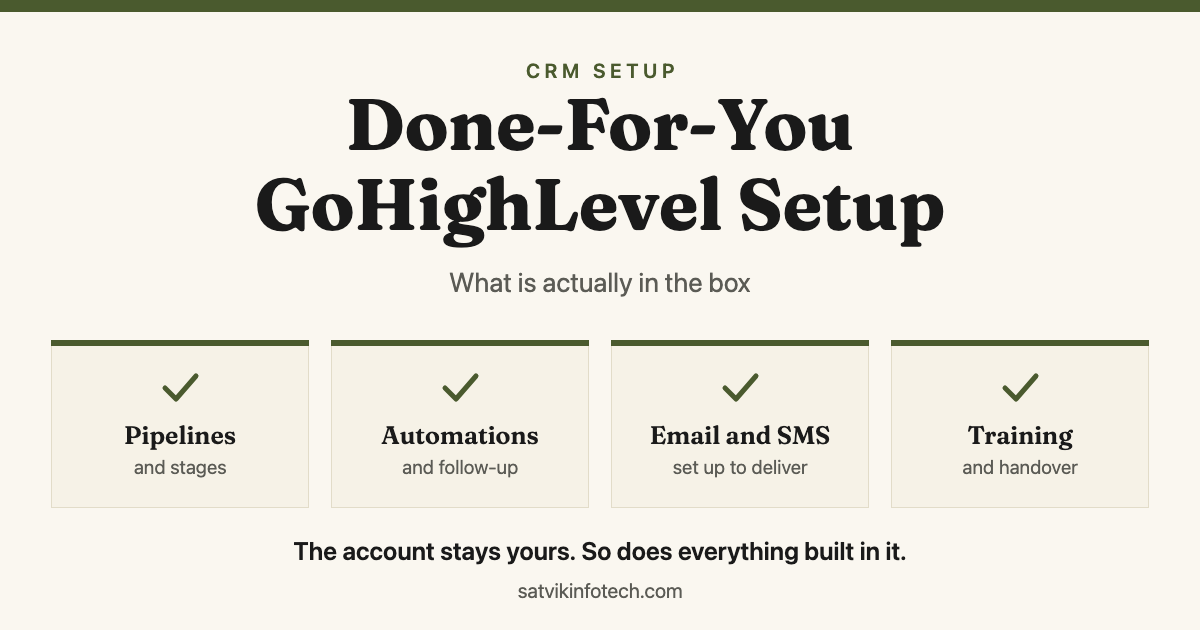
What does not move is anything built inside the platform. Workflows, sequences, email templates, reports, custom fields and pipeline stages are rebuilt in the new system rather than exported, and that rebuild is where the real time goes. That rebuild is the job described in what a done-for-you GoHighLevel setup includes, and we set out the whole sequence in what moves in a HubSpot to GoHighLevel migration.
Which is why the answer to "should we switch" is so often no. Switching costs weeks; configuring what you already have properly costs days. Our CRM setup and management service does both, and we will tell you which one you need before quoting.
What we would recommend, and our bias
We recommend GoHighLevel first for small and mid-sized service businesses, and you should know that before weighing anything above. It is what we implement most, so we are fluent in it, and fluency is worth something to you.
The reason is not that it beats HubSpot on features, because it does not. It is that a small service business usually loses more to fragmentation than to any missing feature: leads in one tool, follow-up in another, calendar in a third, nothing talking. One system that does all of it adequately beats four that each do their part well and none of which agree.
Where we say the opposite: if you have a real sales team, if reporting drives your decisions, or if HubSpot is already working, stay, and let us keep it healthy through ongoing maintenance instead. And whichever you run, the CRM is only half of it, because the follow-up is what converts. That is AI automation, and if the term is new, start with what AI automation actually is.
One last thing neither platform decides for you: who keeps it working once it is built. A CRM full of automations is a system with an owner, and if that owner is nobody the workflows quietly rot, which is the question we answer in who fixes your automations when they break.
More on how we price and what a build involves is on our answers page.
Read next: Reply to every enquiry in under 5 minutes
GoHighLevel and HubSpot questions, answered
Is GoHighLevel only for agencies?
It was built for agencies and still shows it in places, but plenty of end businesses run on it directly and never touch the agency features. The sub-account structure that agencies use to manage clients is simply unused if you are one business. The thing to check is whether you are comfortable with a tool whose documentation and community talk mostly to agencies.
Does HubSpot have a free plan?
Yes, and it is genuinely usable for contact management and basic pipelines, which makes it a reasonable place to start if you are not sure what you need. The cost arrives when you want automation, sequences and reporting, because those sit in the paid tiers and the price steps up per seat.
Does HubSpot charge for contacts as well as for seats?
Yes, on Marketing Hub. HubSpot's own catalog states that pricing varies with the number and type of contacts in your database, and only the contacts you designate as marketing contacts count toward that figure. Contacts kept as non-marketing can still sit in the CRM and be worked by your sales team, so a large historical list is not automatically a large bill.
Does GoHighLevel really include unlimited users and contacts?
Yes. Its published pricing states unlimited contacts and unlimited users on all plans, which is why the bill moves with messaging volume rather than with team size. The limit that does exist on the entry plan is sub-accounts, capped at three, and that only matters if you need separate spaces for different brands or clients.
Can you use both?
You can, and some businesses do, usually HubSpot for sales and something else for marketing sends. We would push back on it for a small team. Two systems means two sources of truth about the same customer, and reconciling them by hand costs more than either subscription.
How hard is it to move from HubSpot to GoHighLevel?
Contacts, companies and deals move without much trouble. What does not move cleanly is anything built inside the platform: workflows, sequences, reports and templates all get rebuilt rather than exported. Budget for the rebuild rather than the export, because that is where the time goes.
Which one is better for email and SMS?
GoHighLevel includes both natively and meters usage on top of the subscription. HubSpot handles email well within its tiers and generally expects you to add a third-party tool for SMS. If two-way texting matters to how you sell, that difference is usually decisive on its own.