What actually moves from HubSpot to GoHighLevel?
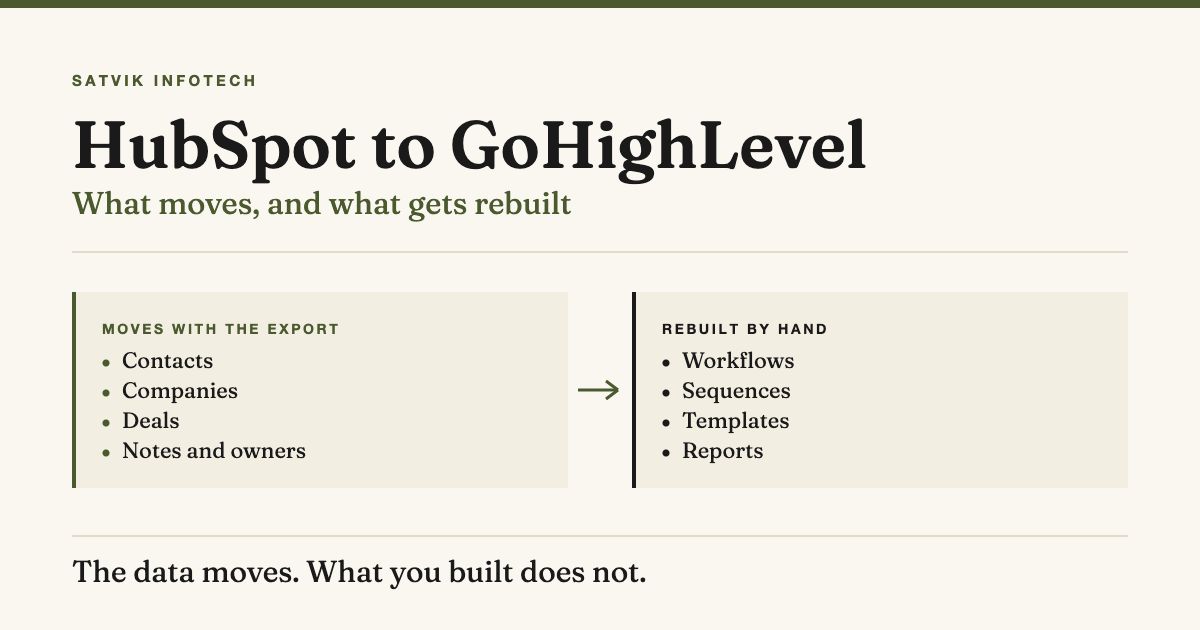
Your records move. Your configuration does not. HubSpot exports contacts, companies and deals with their current values and their associations, and GoHighLevel imports contacts and opportunities from a CSV, so the database half of a migration is a mapping exercise rather than a rescue operation.
- The data moves. Contacts, companies and deals come out of HubSpot with their property values and the links between them, and go into GoHighLevel as contacts and opportunities.
- What you built does not. Workflows, sequences, email templates, forms, pipeline stages and reports are rebuilt on the other side, not transferred, and that rebuild is most of the project.
- The risk is a silent gap, not lost data. The dangerous window is the one where follow-up is switched off in HubSpot and not yet live in GoHighLevel, because enquiries keep arriving and nothing happens to them.
- So the order matters more than the tooling. Build and test in GoHighLevel first, move the data second, switch your website forms last, and keep HubSpot readable for a while afterwards.
A migration is two jobs, and only one of them is data
Most migration plans are written as though the whole thing were a transfer. Export here, import there, compare the row counts, done. That framing is why migrations overrun, because it describes only the half of the work a spreadsheet can do.
The other half is a rebuild. Everything that makes a CRM useful rather than merely full lives as configuration inside the platform you are leaving: the follow-up that fires when a deal stalls, the template that goes out when a call is booked, the stage that moves when a form comes back.
Configuration is not portable between CRMs, and it is not portable in principle rather than by accident. GoHighLevel's workflow builder does not share HubSpot's triggers, actions and conditions, so even a perfect export of a workflow would produce something the other platform could not run.
Which is why the honest way to scope this is to count what you built, not what you stored. Ten thousand contacts is a morning of work. Forty active workflows is the project.
What comes out of HubSpot
HubSpot's own documentation is specific about this, and it is worth reading before anyone quotes you for the work. An export downloads records' current property values and associations, and the objects available include contacts, companies, deals, tickets, custom object records, line items, subscriptions and payments (HubSpot knowledge base, checked 2 September 2026).
Two details in there matter more than they look.
Current values, not history. The export is a snapshot. Property history, the record of what a field used to be and when it changed, is not what lands in the file, so any reporting that depends on how a deal moved through your stages over time stays behind in HubSpot.
Associations become columns. Each associated object gets its own column, which is how the link between a contact, their company and their deal survives the trip. It also means a thorough export gets very wide, and HubSpot notes that CSV avoids the column limits that XLS and XLSX impose.
One practical note before you start: HubSpot says download links to export files expire after 30 days, and that historical exports stay visible in the export log for three years. Download the files and keep your own copy rather than trusting the email link to still work when the rebuild is finally ready for them.
What GoHighLevel will take in
GoHighLevel's import is narrower than HubSpot's export, and that mismatch is the first place a migration meets reality. Its documentation sets out the requirements plainly (HighLevel support portal, checked 2 September 2026).
| Requirement | What the documentation says | Why it matters on a migration |
|---|---|---|
| File format | CSV (.csv) only; Excel and Google Sheets files are not accepted | HubSpot will happily give you XLSX, so choose CSV at the export step |
| File size | Under 30MB, and larger files must be split | A wide export hits this on column count long before row count |
| Sheets | The file must contain only one sheet or tab | Rules out the tidy multi-tab workbook someone will inevitably build |
| Header row | The first row must not be blank, and at least one header must correspond to a field in the system | Custom fields have to exist in GoHighLevel before the import runs |
| Permissions | Only users with Admin access can import contacts | Worth confirming early, not on the morning of the cutover |
| Objects | Contacts, Opportunities, or both in the same import | A HubSpot contact and their deal can cross in one pass |
The last row is the useful one. If contacts and opportunities sit on the same line of the CSV, GoHighLevel maps them to each other automatically, so a HubSpot export that already pairs a contact with their deal can come across in a single pass instead of two imports and a reconciliation afterwards.
The size limit bites more often than people expect. A contact file carrying every custom property and every association column can pass 30MB well before it passes ten thousand rows, and the right fix is to cut columns you do not need rather than to split the file into halves you then have to track.
What gets rebuilt, and why that is the real project
Here is the same migration written as an inventory rather than a transfer. The middle column is the plan; the right-hand column is the reason the plan has to run in that order.
| In HubSpot today | What happens to it | When it has to happen |
|---|---|---|
| Contacts, companies, deals | Exported and imported | After the fields and pipelines exist |
| Custom properties | Recreated as custom fields | Before the import, or a column has nothing to map to |
| Pipelines and deal stages | Recreated by hand | Before opportunities are imported |
| Workflows | Rebuilt in GoHighLevel's builder | Before the lead sources are switched |
| Sequences | Rebuilt as campaigns or workflows | Before the lead sources are switched |
| Email templates | Rebuilt in a different editor | Alongside the workflows that send them |
| Forms and landing pages | Rebuilt, and the embed on your site swapped | Last, and it is a website job as much as a CRM one |
| Reports and dashboards | Rebuilt, and some have no equivalent | After cutover, once real data is flowing |
| Property history | Stays in HubSpot | Never, which is why you keep the account readable |
Read the right-hand column and the sequencing writes itself. Fields and pipelines come first because an import can only map a column to a field that already exists, and workflows come before the lead sources because a form pointing at an empty automation is worse than a form pointing at the old one.
The forms row is the one that catches people out, because it reaches outside the CRM entirely. Every form embed, tracking snippet and booking link on your website currently points at HubSpot, and swapping them is work on your site rather than in either platform.
If nobody has scoped that, it lands on whoever maintains the website in the same week as everything else, which is exactly the kind of dependency our ongoing maintenance work exists to absorb.
The order that avoids a silent gap
The failure that actually hurts is not a lost contact. It is the fortnight where the old follow-up has been switched off and the new one is not finished, so enquiries arrive, land in a system nobody is watching, and quietly go cold.
Nothing reports this, because from either side it looks like a quiet week. The order below exists to keep that window closed.
- Build first, migrate second. Create the custom fields, pipelines and stages in GoHighLevel, then rebuild the workflows that matter most, before any data moves.
- Test the rebuild with fake records. Push a handful of test contacts through every stage and confirm each automation fires. This is far easier before ten thousand real contacts are in the account.
- Export and import the data. Contacts and opportunities together where the CSV allows it, in files under the size limit.
- Spot-check records, not just totals. A row count that matches proves the file loaded, not that the fields landed where you meant them to.
- Switch the lead sources last. Forms, booking links and integrations move to GoHighLevel only once the follow-up behind them is live and tested.
- Leave HubSpot readable. Do not cancel on the day you cut over.
Step five is the one that gets reversed under time pressure, and reversing it is what creates the gap. Pointing your website form at a CRM whose follow-up is half-built means every enquiry that arrives lands somewhere silent, which undoes the thing that actually wins the work: replying to every enquiry in under five minutes.
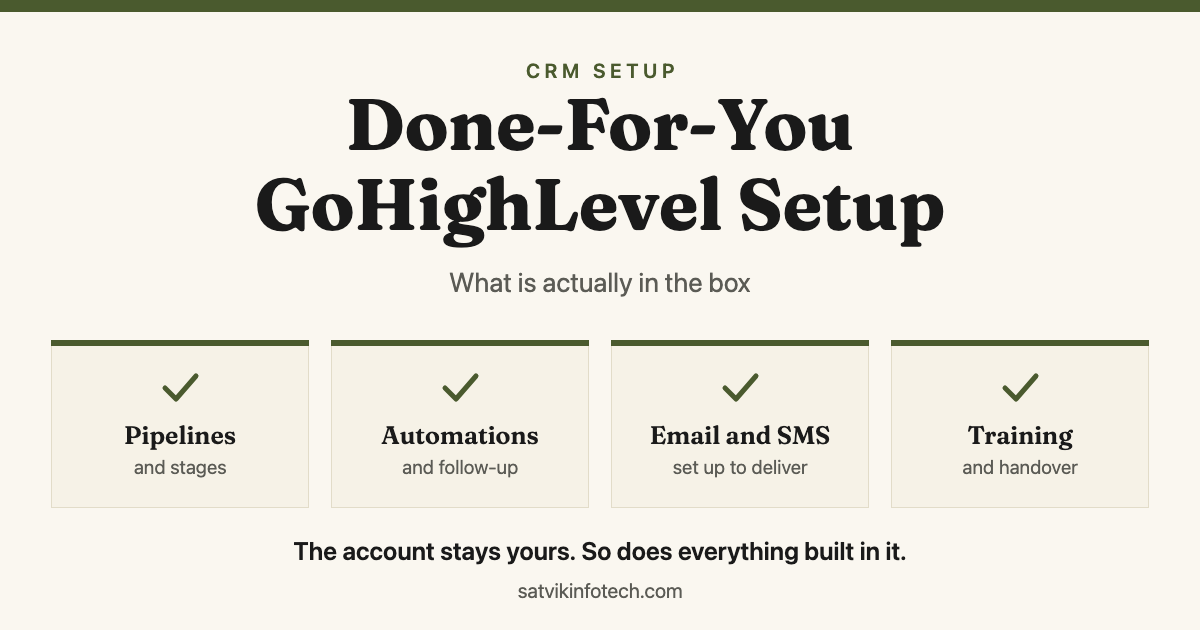
Steps one and two are also where a migration stops looking like a migration and starts looking like a build. What you are doing in those two steps is a first-principles setup of the new CRM, which is the same work described in what a done-for-you GoHighLevel setup includes, with your existing process as the specification.
Why both systems run for a while
Paying for two CRMs feels wasteful, and it is the cheapest insurance in the project.
Keep HubSpot readable for at least a full billing cycle after cutover. Property history is not in your export, so the only record of when a deal actually moved through its stages is sitting in the account you are about to close. So is anything nobody thought to export.
A fortnight is usually enough for the gaps to surface, because that is roughly one full cycle of enquiry, follow-up and quote running through the new system. The things you missed announce themselves as questions rather than errors: where is the report that used to tell us which source the deals came from.
Only then cancel, and take one more export before you do. The export log staying visible for three years is a log of exports, not a copy of your data, and it will not help you once the account is gone.
What actually goes wrong
None of these is exotic. They are the same five problems on nearly every migration, and four of them are cheap to avoid if they are on the list before the work starts.
Custom fields created after the import. The most common single mistake, and it follows directly from GoHighLevel requiring headers that match an existing field. Import first and the columns have nowhere to go, so the whole file has to be cleaned and run again.
Phone numbers that will not parse. GoHighLevel's documentation flags special characters in phone numbers as a common import failure, so spaces, dashes and letters have to come out. HubSpot exports whatever was typed in over the years, which is every format a human has ever invented.
Duplicates already inside the file. The same documentation flags duplicate records within the CSV, and a HubSpot export spanning several years usually carries some. Clean the list before importing rather than deduplicating inside the new CRM afterwards.
Consent and unsubscribe status. This is a field like any other in an export, and the one field where a mapping mistake has consequences beyond untidiness. Carry it across deliberately and verify it on a sample before any campaign is switched on.
The integrations nobody listed. Anything talking to HubSpot through an API keeps talking to HubSpot until someone repoints it, and these are usually discovered rather than planned. Listing them is part of scoping, and rebuilding them is workflow automation work rather than CRM work.
When not to migrate at all
GoHighLevel is the CRM we recommend first, so treat what follows as a bias worth stating rather than hiding. It still would not be honest to pretend the answer is always yes.
The strongest reason not to move is that the thing frustrating you is configuration rather than platform. A CRM nobody set up properly behaves badly on any platform, and migrating it moves that problem to a new interface at the cost of rebuilding everything you had. Configuring what you already own costs days; switching costs weeks.
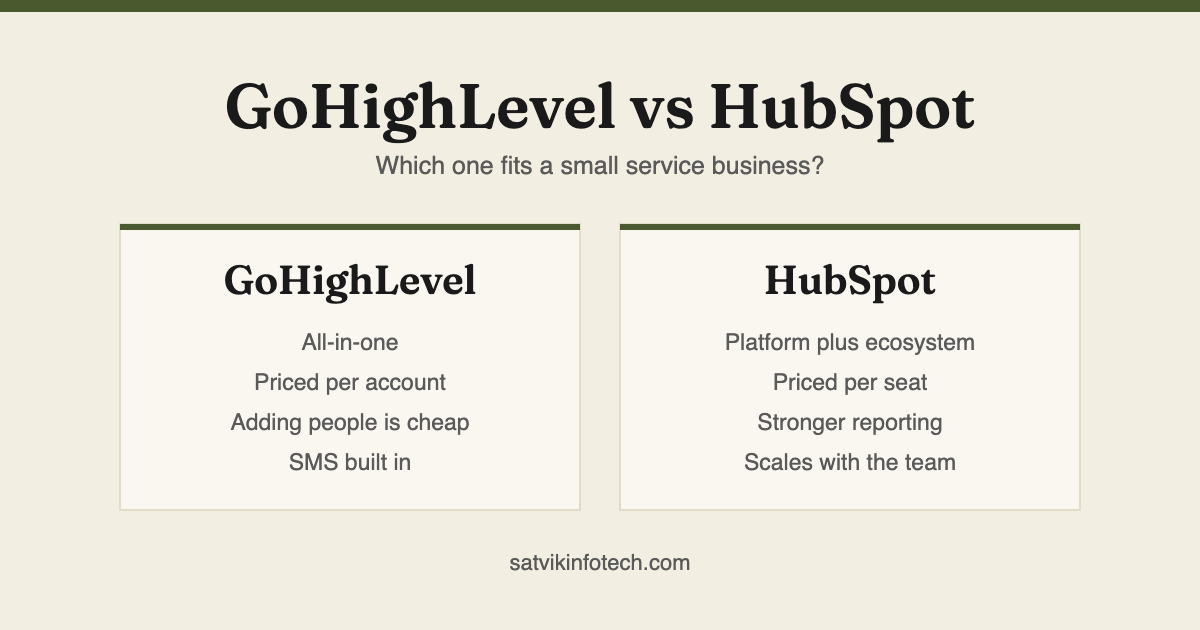
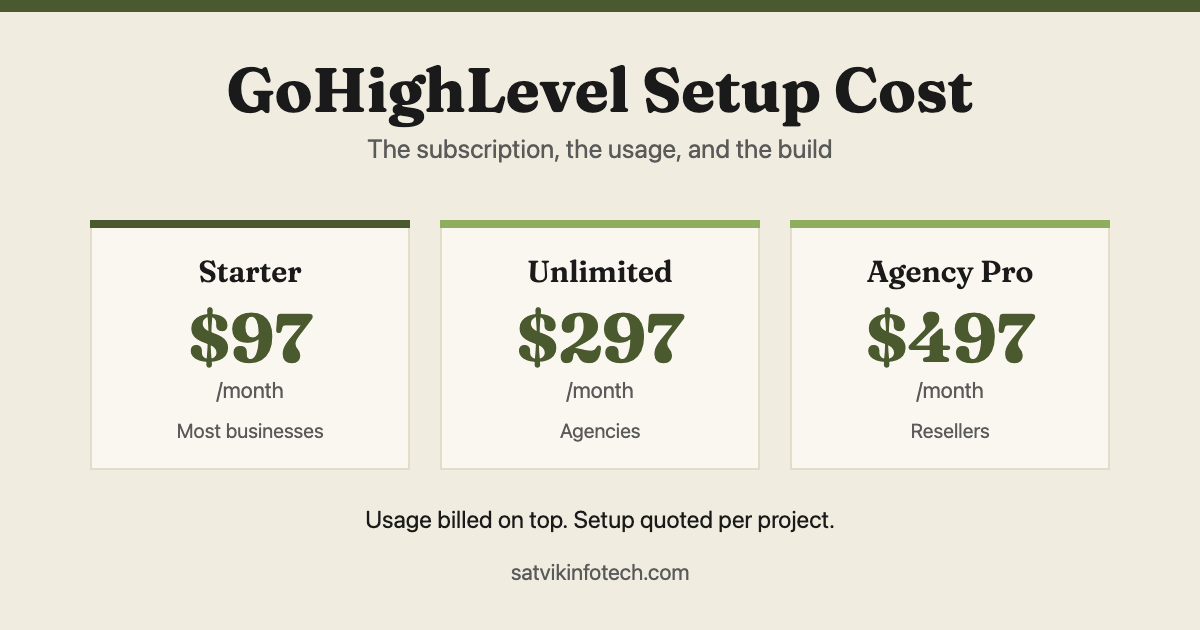
The second reason is depth. If your reporting is genuinely load-bearing, or you rely on objects and integrations with no equivalent on the other side, the rebuild is larger than the saving. That trade-off is the whole subject of GoHighLevel vs HubSpot, and the running cost of the destination is set out in what GoHighLevel setup costs.
The third is timing. A migration during your busiest quarter is how the silent gap happens, because the pressure to switch the forms early is at its highest exactly when you can least afford enquiries to go missing.
When it is the right move, it is usually for one of two reasons: you are paying for a marketing suite to act as an operations system, or your follow-up already lives in three tools that do not talk to each other. Both are worth fixing, and both are what our CRM setup and management service does.
If the follow-up you want on the other side needs judgement rather than rules, that is the point where AI automation starts earning its place, and what AI automation actually is covers the distinction.
Common questions
How long does a HubSpot to GoHighLevel migration take?
The data is usually a day or two. The rebuild is what sets the timeline, and it scales with how much you configured in HubSpot rather than how many contacts you hold. A business running a handful of workflows and one pipeline can be live in a week; one with dozens of active workflows, several pipelines and custom reporting should plan in weeks, because every one of those has to be recreated and tested by hand.
Will we lose our data?
Not if the export is done before anything is switched off. HubSpot's export carries current property values and associations, so records, their fields and the links between them all come across, but property history does not: the record of what a field used to be and when it changed stays behind. That is the main reason to keep the HubSpot account readable after cutover rather than cancelling it.
Can workflows and sequences be transferred automatically?
No. There is no export path for them and no import that would accept one, because the two platforms do not share the same triggers, actions and conditions, so workflows, sequences, templates, forms and reports are all rebuilt in GoHighLevel by hand. That is a consequence of them being different products rather than a gap in the tooling, and it is the part of a migration worth scoping carefully.
How much does a HubSpot to GoHighLevel migration cost?
We quote it per project, because the price follows the rebuild rather than the data. The questions that move the number are how many workflows and pipelines are live, how many custom fields exist, whether your website forms and booking links need swapping, and whether anything integrates with the CRM through an API. A contact count tells us almost nothing on its own.
Should we run both CRMs at the same time?
Yes, for a while. Keep HubSpot readable for at least a full billing cycle after cutover rather than cancelling on the day you switch. Property history is not in your export, gaps tend to surface as questions a fortnight later once one full cycle of enquiry and follow-up has run through the new system, and the cost of one extra month is far below the cost of discovering something was missed after the account closed.
If you are still deciding rather than moving, GoHighLevel vs HubSpot is the better starting point, and what we ask before quoting any of this is set out on our answers page.